 # Gearslip
An Android Auto alternative built for everyone.
[
 ](https://apps.obtainium.imranr.dev/redirect?r=obtainium://add/https://github.com/Seb3thehacker/gearslip)
## Which cars work
Most cars work. Starting around 2020, some cars added newer security standards that reject
Gearslip's certificate, and Gearslip can't run in those cars.
## What Gearslip is
Gearslip is an Android Auto client for the phone. It speaks the Android Auto protocol
directly to a car head unit over USB, with no Google software in the path. Gearslip acts
as a Car App Library host: an app that ships a car interface hands Gearslip a template,
and Gearslip renders that template natively on the car screen. Nothing is mirrored from
the phone. For apps without a car interface, Gearslip offers a separate screen-sharing
mode.
| | |
|---|---|
| 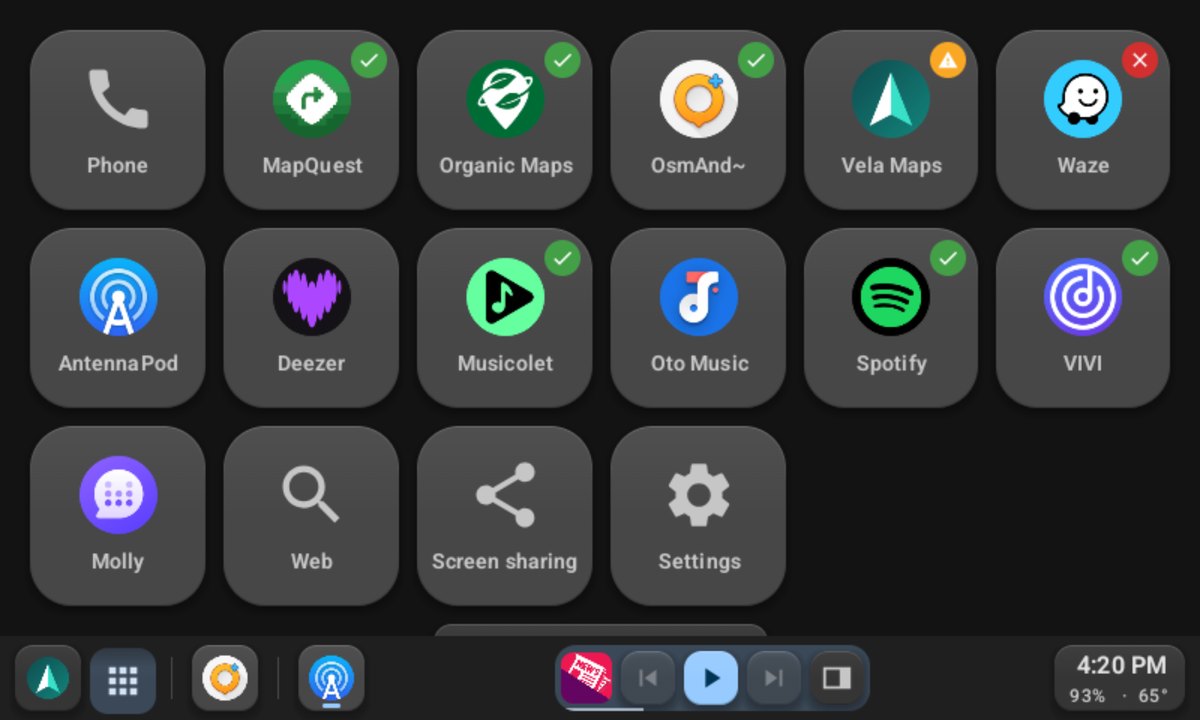 | 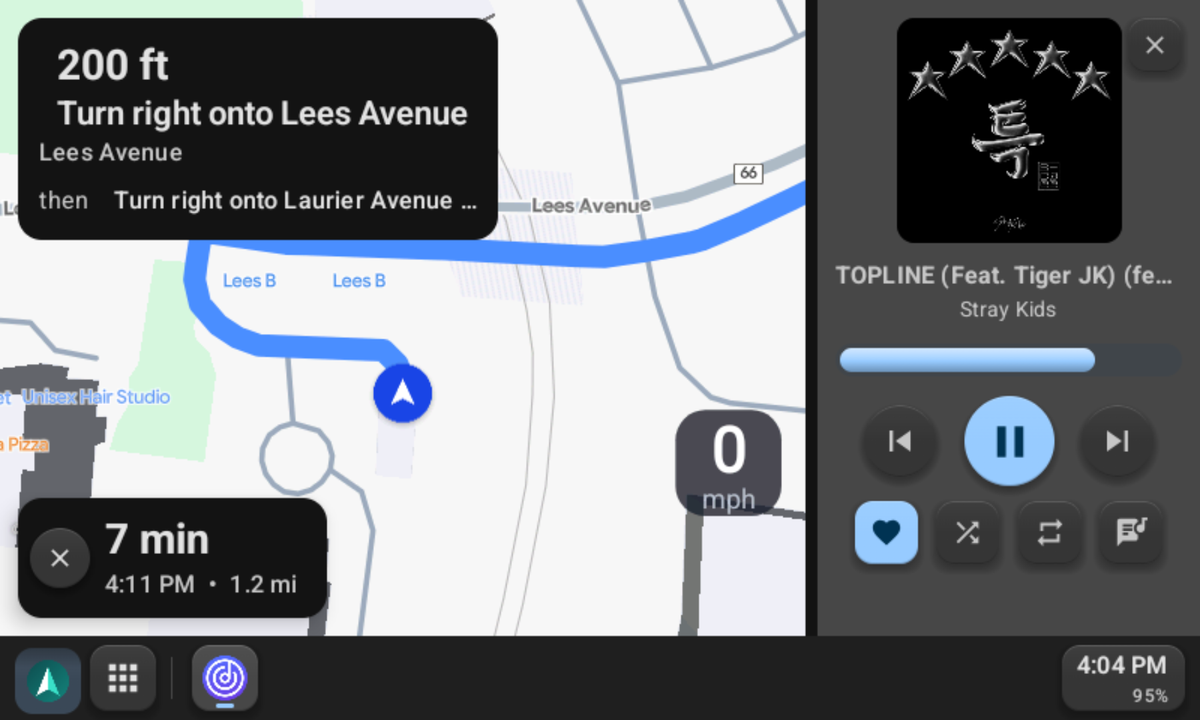 |
| Apps sorted by kind. A check marks the ones that work. | Vela Maps navigating, with the player beside it. |
| 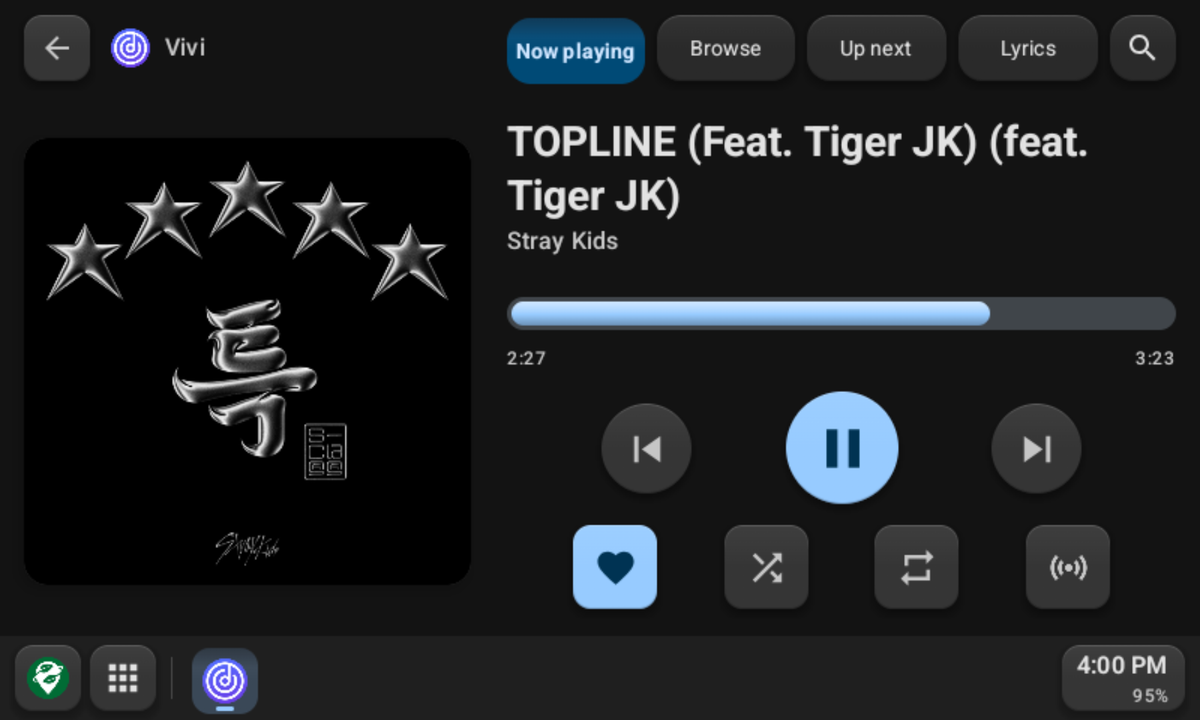 | 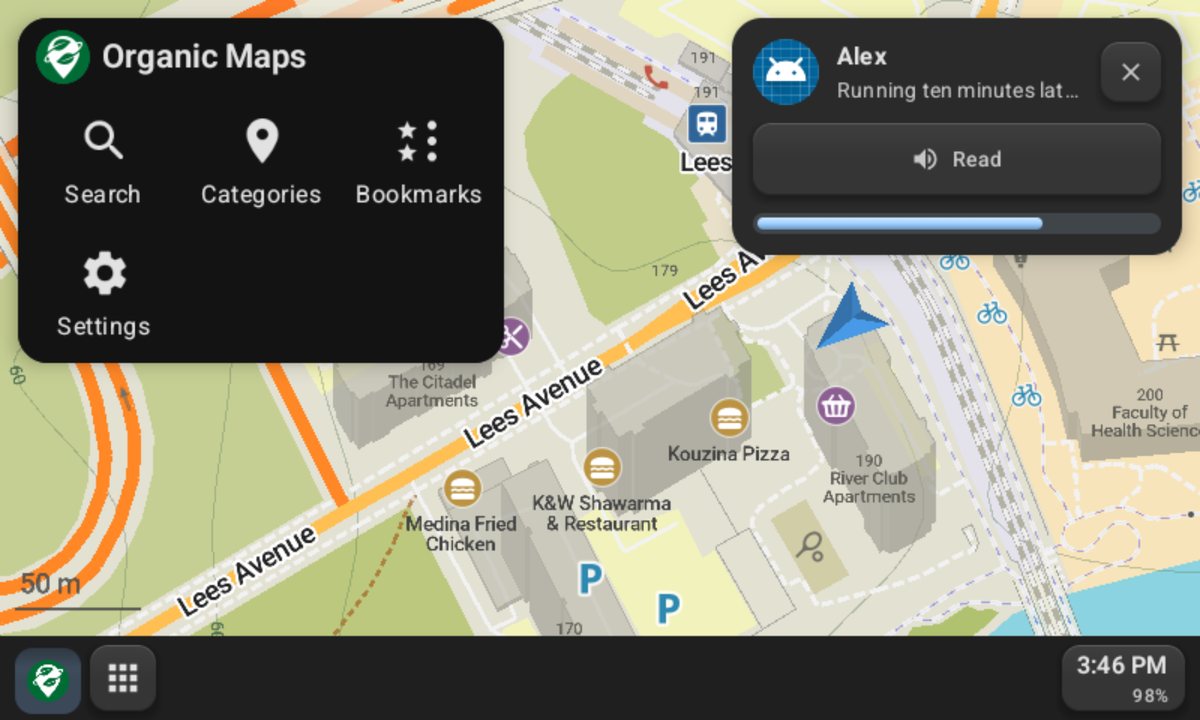 |
| ViVi Music in Gearslip's player. | A new message, read aloud at a tap, over the map. |
|  |  |
| The weather, your next event, and what you missed. | Browse the web while parked. |
## Features
- **Phone calls.** Dial from a keypad, or search your contacts, then confirm before the
call goes out.
- **Navigation.** Gearslip hosts real Car App Library map apps on the car screen.
Organic Maps, OsmAnd, and Flitsmeister work today. Vela runs, with rough
edges.
- **Music.** Browse, play, and queue tracks from a car-enabled media app, with a Now
Playing view, an Up Next queue, and lyrics. Type a search, and apps that accept one
play the best match.
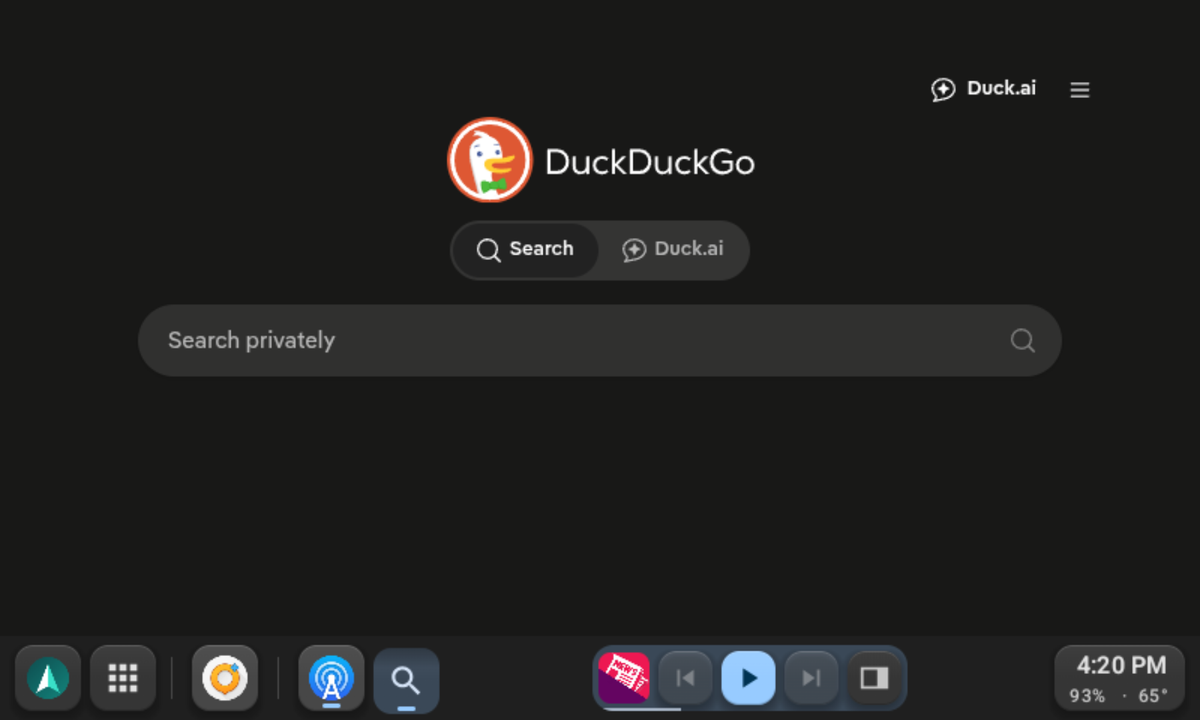
- **The web.** A browser template with its own on-screen keyboard, for anything that
doesn't ship a car interface of its own.
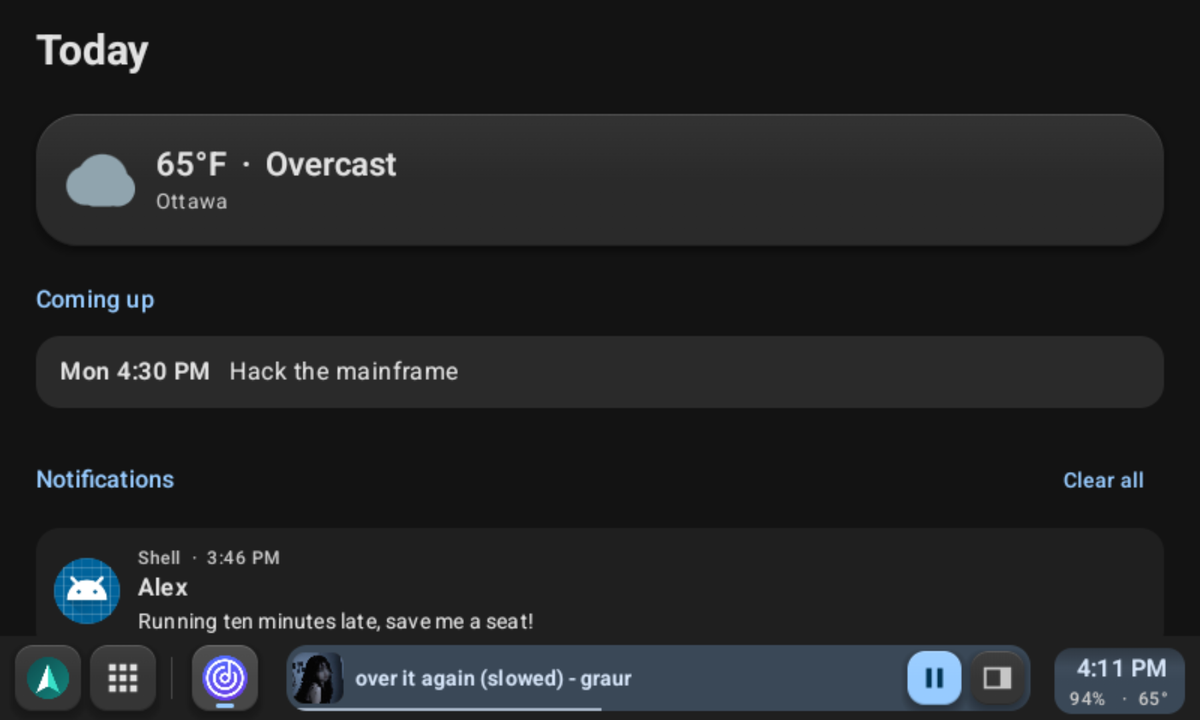
- **Weather and the day ahead.** A dashboard screen shows the week's calendar next to
the current and coming weather.
- **Messages.** New messages appear as a small card on the car screen. Gearslip reads
each one aloud, and you reply by voice or with a quick reply. Music pauses while
Gearslip speaks or listens. Speech runs on the phone, so it needs no Google account.
- **Notifications.** Only messages, missed calls, alarms, and reminders interrupt you.
The rest wait on the dashboard.
- **Your apps, your order.** The launcher groups apps by kind: phone, maps, music,
messaging, and the rest. Press and hold an app to move it.
- **Car controls.** Steering wheel buttons, control knobs, and D-pads all work.
- **Themes.** Choose flat buttons or skeuomorphic ones that look like real keys.
## Status
- **The connection is wired only, for now.** Plug the phone into the head unit's USB port;
Gearslip does not yet offer a wireless option.
- **Setup walks you through it.** First launch asks for the Android Auto certificate,
then one permission at a time, each with a plain reason and an Allow or Skip. A help
screen inside the car answers anything setup didn't cover.
- **Templated apps work.** Gearslip renders all 16 template types that the Car App
Library defines, and it draws its own keyboard for search, sign-in, and text fields.
It has been tested against several real navigation and media apps.
- **Gearslip works with [LIVI](https://github.com/f-io/LIVI),** the open-source head unit
used in homemade car dashboards.
- **Some apps refuse Gearslip.** Spotify, Waze, and Google Messages use a version of
Google's car library that accepts only Android Auto itself. Spotify still plays through
Gearslip's own player.
- **Calls use the car's Bluetooth,** as they do in Android Auto. Pair the phone with the
car to hear calls through its speakers.
- **Audio reaches the car by capturing playback, not by mirroring the screen.** Android
shows a screen-share consent dialog for this, even though Gearslip never reads the
screen; it is the only way an ordinary app can capture another app's audio. The dialog
appears once per drive.
- **Gearslip needs no adb, root, or Shizuku.** Every feature relies on an ordinary
Android permission or an on-device consent dialog. The setup guide offers two optional
adb commands: one removes the audio dialog for good, and the other keeps notifications
visible while audio plays.
## Usage notes
Gearslip can send short notes that show which cars it works in. They stay off unless you
turn them on, in setup or in Settings.
- **When they go out.** When you open Gearslip, at most once a day, and after each drive.
Nothing runs in the background.
- **What they carry.** The Gearslip version, plus whatever you tick: the Android version
and whether the phone runs GrapheneOS, the phone model, whether a car connected that
day, and each car's head unit, model, year, screen size, and connection result.
Settings shows the exact note.
- **What they leave out.** Your name, accounts, location, contacts, messages, and
anything you type or play.
- **How phones are counted.** A random number counts each phone once. The server keeps
only a salted hash of it.
- **Where they go.** To a Cloudflare Worker, whose code is in
[stats-worker/](stats-worker/). Cloudflare sees your IP address in delivering a note,
as it would for any website; the Worker doesn't store it.
Turn the notes off, and they stop at once.
## How Gearslip is made
Gearslip is my beloved child. I decide what it does and how it looks, and AI coding tools
help me write the code. I test every change myself before it ships: in a real car, with
both a GrapheneOS phone and a stock Android phone, and on [LIVI](https://github.com/f-io/LIVI),
the open-source head unit software. If something breaks, that's on me, so please open an
issue.
## Building
```
./gradlew :gearslip:assembleDebug
```
The APK lands at `build/Gearslip-debug.apk`.
A release build needs a signing key. Copy `keystore.properties.example` to
`keystore.properties`, fill in your own values, and run
`./gradlew :gearslip:assembleRelease`. Git ignores both the properties file and the
keystore. Without them, the debug build still works.
## Writing apps for Gearslip
[docs/BUILDING_APPS.md](docs/BUILDING_APPS.md) specifies how to write apps that Gearslip
can render: templated apps, media apps, and the Gearslip app protocol.
## How Gearslip talks to cars
Gearslip is an independent program, written to work with car head units. What it knows of
the protocol comes from public open-source projects such as
[aasdk](https://github.com/opencardev/aasdk) and open-android-auto, and it contains none
of Google's Android Auto code.
Gearslip ships without a certificate. On first launch you choose where yours comes from:
download the one the aasdk project publishes, or import a file of your own. The
certificate stays on your phone. Gearslip never uploads, backs up, or logs it.
## Trademarks
Android, Android Auto, Google Messages, and Waze are trademarks of Google LLC. Spotify is
a trademark of Spotify AB. Gearslip is not affiliated with, endorsed by, or sponsored by
any of these companies. All other names belong to their owners.
## License
Gearslip is licensed under AGPL-3.0; see [LICENSE](LICENSE). The author offers a separate
commercial license for private use outside the AGPL's terms; see [NOTICE.md](NOTICE.md).